


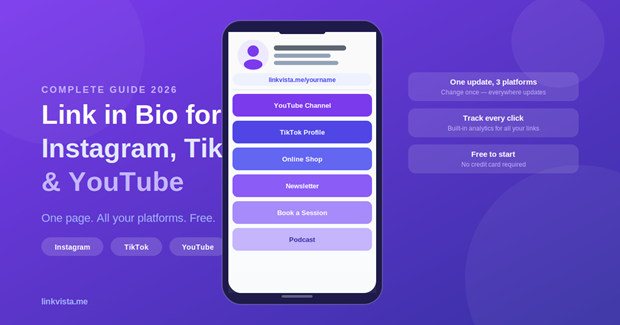
You are active on Instagram, TikTok and YouTube. Each platform gives you one bio link. That means three different URLs to manage, update, and remember — for one person. There is a better way.
The Bio Link Problem on Every Platform
Every major social platform has the same limitation: one link in your bio. And each one handles it differently.
Instagram — allows one clickable link in your bio. Since 2023, you can add up to 5 links natively, but only one is visible at a time with no tracking.
TikTok — one bio link, but only for accounts with 1,000+ followers. Personal accounts are often restricted. A link in bio tool bypasses this cleanly.
YouTube — one website link in your banner, one in description. Not always visible on mobile. A link page makes your content much more accessible.
The Solution: One Link Page for All Your Platforms
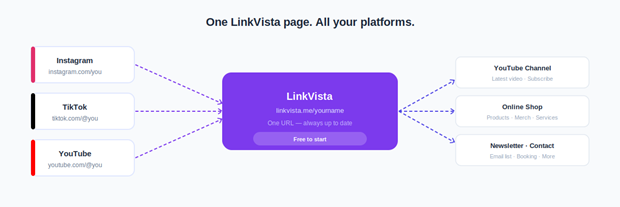
Instead of managing three different bio links, you create one link in bio page that you paste everywhere. When you update it, every platform updates automatically — because they all point to the same URL.
instagram.com/you → linkvista.me/you → all your content tiktok.com/@you → linkvista.me/you → all your content youtube.com/@you → linkvista.me/you → all your content
How to Set Up Your Page with LinkVista

Step 1 — Create your account
Go to linkvista.me and sign up for free. Choose a username that matches your handle across platforms.
Step 2 — Add your links
Click “Add a link” and add everything: YouTube, TikTok, Instagram, shop, newsletter, booking page.
Step 3 — Add your social icons
LinkVista includes a social networks section at the top — clean icon row above your link buttons.
Step 4 — Customize for your brand
Choose a theme and colors that match your visual identity. Consistency builds trust.
Step 5 — Paste the link everywhere
Copy linkvista.me/yourname and paste it into Instagram, TikTok, YouTube, Twitter/X, and your email signature.
Tips by Platform
Put your LinkVista URL in the Website field. Mention it in captions: “Link in bio ↑”. Add to Story highlights.
TikTok
Mention it in your videos: “Link in my bio”. A recognized domain like linkvista.me is less likely to be flagged.
YouTube
Add it to your channel description (first line). Add as banner link. Include in every video description.
Conclusion
Managing your presence across Instagram, TikTok and YouTube no longer means three separate bio links and constant updates. One link in bio page handles everything — and LinkVista makes it free, beautiful and easy to set up in under 5 minutes.
Create your free LinkVista page at linkvista.me