
Instagram only allows one clickable link in your bio. If you're a creator, musician, entrepreneur or influencer, this single link quickly becomes a bottleneck — you want to share your YouTube, your shop, your newsletter, your latest project, all at the same time.
In this guide, we'll show you exactly how to solve this problem in 2026, step by step.
Why Instagram Only Allows One Link in Your Bio
Instagram introduced the bio link limitation to control traffic leaving the platform. While the app has added features like link stickers in Stories (available to all accounts since 2021), the bio remains limited to a single clickable URL.
This is a real problem when you have multiple things to share: a new video, a product launch, a booking page, a podcast episode. Changing the link every time means your followers miss everything you don't currently have pinned.
The good news: there's a simple and elegant solution.
The Solution: A Link in Bio Page
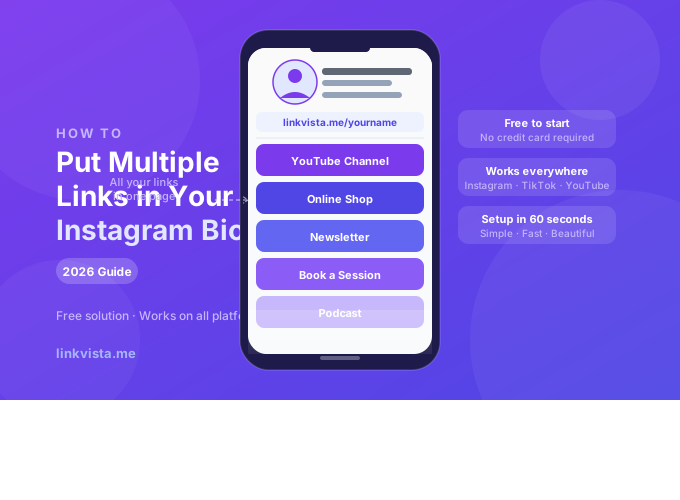
A link in bio page is a single URL that leads to a personal page containing all your links. Instead of choosing between your YouTube channel and your online shop, you share one link — and your visitors choose where to go.
It looks like this:
instagram.com/yourname → bio link: linkvista.me/yourname → all your linksThis is the method used by millions of creators worldwide, from small businesses to major artists.
How to Create Your Free Link in Bio Page with LinkVista
LinkVista is a free tool that lets you create a beautiful, personalized link page in minutes. Here's how to do it.
Step 1 — Create your free account
Go to linkvista.me and sign up with your email. Choose a username that matches your Instagram handle (e.g. linkvista.me/yourname).
Step 2 — Add your links
In your dashboard, click "Add a link" and enter:
- The title of the link (e.g. "My YouTube channel")
- The URL
Repeat for each link you want to share: social profiles, shop, portfolio, newsletter, booking page, etc.
Step 3 — Customize your page
Choose a theme, colors, button style and font that match your visual identity. LinkVista offers free themes and premium customization options.
Step 4 — Copy your LinkVista URL
Your page is accessible at linkvista.me/yourusername. Copy this URL.
Step 5 — Paste it in your Instagram bio
- Open Instagram
- Tap Edit profile
- In the Website field, paste your LinkVista URL
- Tap Done
That's it. Your followers now have access to all your links from a single tap.
Tips to Get the Most Out of Your Link in Bio Page
Keep it updated. Every time you publish new content or launch a product, update your LinkVista page. You don't need to change your Instagram bio link — it always points to the same URL.
Put your most important link first. The first button gets the most clicks. Place your current priority there — a new video, a promotion, an event.
Use clear titles. "Watch my latest video" works better than "YouTube". Your visitors need to understand immediately what each link leads to.
Track your clicks. With LinkVista Premium, you get detailed analytics on each link: number of clicks, evolution over time, best-performing content.
Match your visual style. A page that matches your brand colors and aesthetic reinforces trust and recognition. Take 5 minutes to customize your page.
Frequently Asked Questions
Can I add as many links as I want? Yes. The free plan allows you to add up to 2 links. With LinkVista Premium, you get unlimited links.
Is it free? Yes, LinkVista is free to start. The Premium plan unlocks advanced features: unlimited links, detailed statistics, premium themes, custom fonts.
Does it work on TikTok and YouTube too? Absolutely. Your LinkVista page works on any platform that allows a bio link: Instagram, TikTok, Twitter/X, YouTube, LinkedIn, etc.
What happens to my link if I stop using LinkVista? Your page remains active as long as your account is open. We recommend keeping your account active to avoid breaking the link in your bio.
Is there a watermark on the free version? No. LinkVista does not add forced branding to your page on any plan.
Conclusion
Putting multiple links in your Instagram bio is now simple and free. A link in bio page like LinkVista lets you centralize all your content in one place, update it at any time, and track your clicks — without ever having to change your bio link again.